EDI2XML
  • About
    • The Company
    • EDI2XML
    • Advantages
    • Partnership with EDI2XML
    • Testimonials
  • Services
    • Enterprise AI
    • Fully Managed Integration
    • Fully Managed EDI Services
    • EDI Web Portal
    • EDI Web Service
    • EDI On Premises
    • Managed Cloud Services
    • Amazon Integration
    • Shopify Integration
    • BigCommerce Integration
    • NetSuite Integration
    • JD Edwards Integration
    • Dynamics 365 Integration
    • SAP B1 Integration
    • Salesforce Integration
    • Industry 4.0 Integration
  • Pricing
    • EDI Managed Services
    • EDI Web Service
    • EDI On-Premises
    • Managed Cloud Services
    • Shopify Integration
    • JD Edwards Integration
    • E-commerce Integration
    • All other Integrations
  • Blog
  • Resources
    • Resource Center
    • List of EDI Codes
    • List of EDIFACT Messages
    • EDI Documents Library
    • Trading Partners
  • Contact us
  • Book a Consultation
  • Click to open the search input field Click to open the search input field Search
  • Menu Menu
  • Link to Facebook
  • Link to LinkedIn
  • Link to X
  • Link to Youtube

An integration platform enables seamless connectivity between applications and data sources, automating workflows and enhancing collaboration.

Tag Archive for: integration platform

What is CRM and ERP integration and why it is essential?

Blog

This post was updated to reflect current trends and information.


Integration of CRM and ERP systems: Definition

CRM and ERP integration is the synchronization of data from ERP and CRM systems. The purpose of CRM and ERP integration is to provide automatic exchange of information between the enterprise systems.


Nowadays, many enterprises use numerous different business systems and applications for enterprise management, in other words, a combination of ERP, CRM, home grown applications, and many other applications for different business needs.

All these business systems have the same goal – to optimize business processes. However, their tasks are different. So how is CRM different from ERP? Do you need to integrate data from these different systems? How to perform such integration at its best? Let’s take a look at these questions in this article.


What is CRM?

CRM Customer relationship management – the name speaks for itself. It is a business software designed to automate interactions with customers (clients), to increase sales, optimize marketing and improve customer service.


What does a CRM software do?

CRM allows you to store and organize data about clients (prospects) as well as all their orders and transactions.

Information about customers can be built according to convenient parameters: names, contacts, purchases, contracts, invoices, and payments.

In most CRM systems you can follow in chronological order the entire history of communication with the client, emails, orders, and call records.

Most importantly, the CRM system automates processes and helps at every stage of the sale: automatically generates documents (according to a template), reminds of calls, issues invoices, and creates analytical reports, sends SMS notifications, and many more.

What are the Top 10 CRM Software Vendors?

According to the leading technology market-research company APPS RUN THE WORLD, Salesforce is the leader in the CRM software market. The other biggest providers of standalone or embedded CRM systems are:

  • Salesforce.com
  • Adobe
  • Oracle
  • SAP
  • Microsoft
  • Genesys Telecommunications Laboratories
  • Zendesk
  • Pegasystems
  • HubSpot
  • Nice Systems

What Is ERP?

ERP stands for Enterprise Resource Planning. The ERP software is designed for storing, processing, and maintaining a single database for all divisions of the company: orders, production, warehouses, logistics department, accounting, etc. ERP creates a single information space for all employees of the company.

The main goal of an ERP system is to unite the disparate processes of the company into a single well-functioning mechanism.

What is the main component of an ERP system?

Typically, ERP systems are designed based on a modular principle to cover all the key processes of the company’s activities.

The main modules in the ERP system are:

  • Planning
  • Budgeting / Financial Management.
  • Logistics/ Supply Chain Management
  • Human Resources
  • Production Management / Manufacturing
  • Order Management
  • Warehouse / Inventory Management

The ERP allows the management to get a comprehensive picture of the company’s activities, which makes the ERP system an indispensable tool for making current and strategic management decisions.

ERP software examples

According to Statista, the global enterprise resource planning (ERP) software market is forecast to grow to around 97 billion U.S. dollars by 2024. SAP and Oracle are two of the leading ERP vendors in this market.

The most popular ERP systems on the market are:

SAP Business One
It is an ERP solution for small businesses designed to automate key business functions. Can be deployed On-premises or cloud.

SAP S/4HANA
It is an ERP solution for large enterprises. SAP S/4HANA has built-in intelligent technologies, machine learning, and advanced analytics. Could be deployed in public/private cloud, hybrid, and on-premises.

SAP Business ByDesign
It is a Cloud ERP for small and medium-sized enterprises. SAP Business ByDesign is sold and operated by software as a service model.

NetSuite
It is Oracle’s Cloud ERP solution for Small and Mid-sized Enterprises. NetSuite offers modular systems ranging from finance to supply chain management, invoicing, and more.

Sage Intacct
This cloud-based ERP software solution with high ROI was designed by an American provider of cloud-based Financial management Sage Intacct, Inc. Sage Intacct includes core financial modules with possibility to add additional modules.

Acumatica
It is a complete Cloud ERP solution for all your business management needs, created for flexible workplace such as mobile, and remote work.

Tally
It is an enterprise ERP software provided by an Indian multinational company Tally Solutions Pvt. Ltd.

Is CRM and ERP integration possible?

As you might have noticed, CRM and ERP systems are not competing systems, but one complements the other. In fact, some big ERP systems, they offer their own CRM modules, to keep the whole process under one umbrella. Both software systems help for efficient and cost-effective enterprise management.

An ERP system helps control production, planning, and logistic processes; a CRM helps track and follow up and increase sales and customer loyalty. However, to get the most out of these two important business systems, it is necessary that the ERP and CRM “communicate” with each other.

“Is it possible to do an integration between two heterogenous systems from two different vendors?” – This is one of the most frequent questions that companies care about. Of course, it is possible! With Magic xpi integration platform, the integration between CRM and ERP can be done easily, quickly, and reliably.

What is Magic XPI integration platform?

Magic xpi is an integration platform, offering a complete solution to automate the flow of data between business systems and applications such as (ERP) enterprise resource planning, (CRM) customer relationship management, (HRM) human resources management, (SCM) supply chain management, EDI, database, and e-commerce.

Why Magic xpi is the best choice for CRM and ERP Integration?

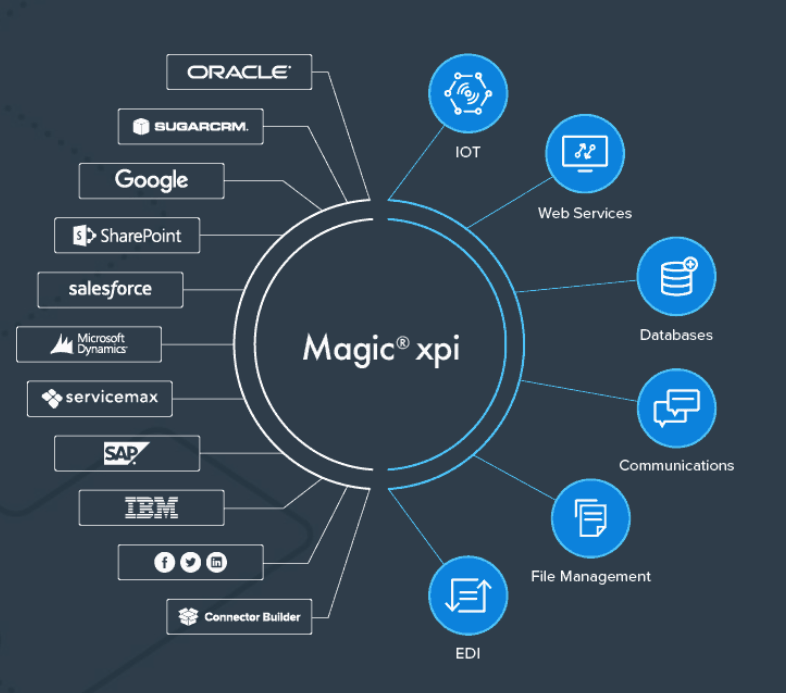
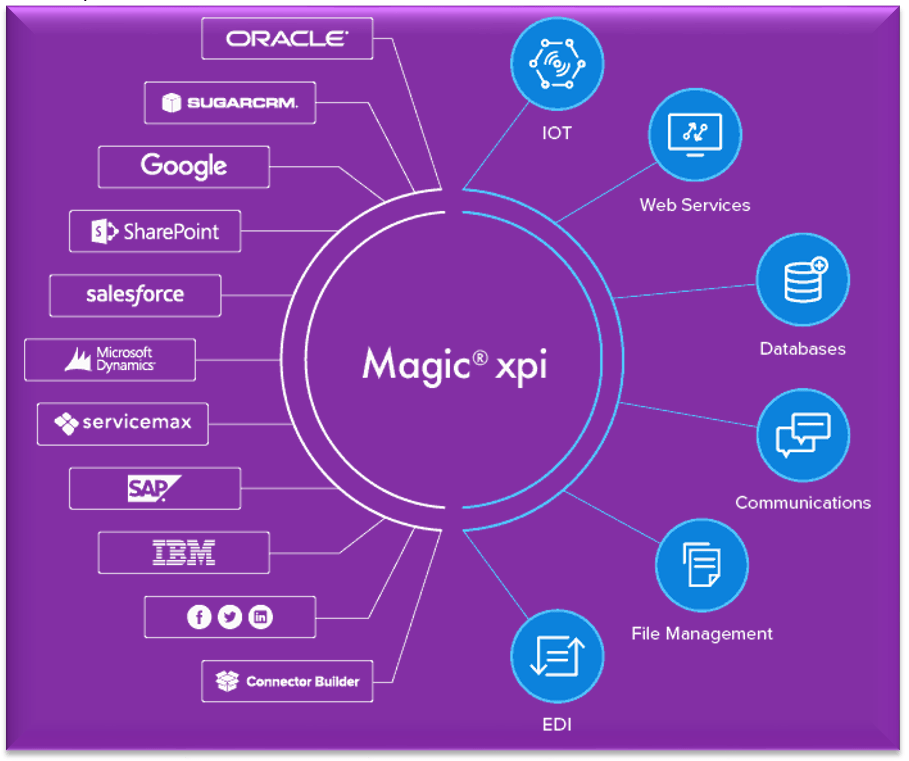
Out of the box, Magic xpi includes over 100 ready-to-use connectors to all popular IT systems, in addition there is a considerable number of certified connectors to connect to branded ERP/CRM systems such as JDE, SAP, Dynamics AX, Oracle, SharePoint, IBM, Google, and more.

These connectors allow to perform integration of applications, databases, APIs, platforms quickly and reliably.

Having an intuitive and easy-to-use drag-and-drop interface, it is suitable for both professional integrators and ordinary business users.

Magic xpi fits any IT infrastructure and can integrate all your business systems on-premises, on the cloud, or in a hybrid environment.

Magic xpi provides a stable front-end platform and the ability to integrate data and deliver the most relevant information to your employees, management, or customers.

Key benefits of data integration between CRM and ERP systems

The main benefits of CRM and ERP integration include but are not limited to:

1. No need to re-enter the same data and keep duplicates.

ERP and CRM systems have contact and accounting information used in both systems for different purposes. For example, in an ERP system, addresses are used for invoicing and product delivery, while in CRM, customer and prospect addresses are used to support sales / marketing.

Integration of CRM and ERP systems eliminates the need for double data entry. Thus, any change made in the CRM database will affect the ERP system and vice versa.

2. Easier and faster data exchange.

Integration of CRM and ERP data increases sales, since sales managers have full access to data from ERP having complete information on the product, they can place an order faster and more accurately.

3. Efficient order management

By integrating data between CRM and ERP, quotations created in CRM can be automatically converted into actual orders in the ERP system. This significantly reduces order processing times and increases the efficiency of the company.

Thus, the main advantages that companies receive from the integration of CRM and ERP are increased information availability, reduced order processing time, and improved interaction processes within the organization.


Suggested Readings: The main reasons why you need Microsoft Dynamics Integration with your business Systems


Integrate your CRM and ERP – quickly and efficiently

Optimize your company’s business processes and increase productivity by connecting CRM and ERP systems.

Benefit from our over 21 years of experience in integrations and cutting-edge technology.

Contact us for a free consultation and a Free Live Demo of the Magic xpi Integration Platform. In a screen-sharing format, we’ll show you how Magic xpi can solve your business needs.

April 26, 2021
https://www.edi2xml.com/wp-content/uploads/2021/04/CRM-ERP-Integration.png 350 1024 Tatyana Vandich https://www.edi2xml.com/wp-content/uploads/2024/08/edi2xml.com-EDI2XML-company-logo.png Tatyana Vandich2021-04-26 15:15:312024-10-11 13:39:25What is CRM and ERP integration and why it is essential?

How Integration Can Improve Your Supply Chain Management

Blog

The efficient management of logistics processes involving multiple business partners is one of the main challenges faced by companies in the supply chain vertical.

There are many systems involved in the supply chain such as warehouse management systems (WMS), transportation management systems (TMS), enterprise resource planning (ERP), and much more.

However, the use of multiples of business systems and applications does not yet guarantee success.

The most important thing in the supply chain is the flow of information between the different systems, in a timely and efficient manner; this is called “data integration” which is necessary so different heterogenous systems can “communicate” with each other in a close to “real-time” fashion.

What is Supply Chain Management (SCM)?

Wikipedia gives the most accurate definition: “In commerce, supply chain management (SCM), the management of the flow of goods and services, money and information, involves the movement and storage of raw materials, of work-in-process inventory, and of finished goods as well as end to end order fulfilment from point of origin to point of consumption”.

In other words, the supply chain is the delivery of a product to a consumer. Which includes all stages from the transformation of raw materials into a finished product to delivery to the final consumer.

The main goal of the supply chain management is to coordinate all stages of the process to minimize overall costs and obtain the greatest efficiency.

What is “Integration” in the Supply Chain?

In information technology, integration is the connection of data, systems, applications, or devices to improve efficiency, productivity, and flexibility.

The purpose of integration in supply chain management is to combine different business systems responsible for different functions (warehouse, resource planning, accounting, electronic data interchange, etc.) that belong to different business partners to create a single efficient logistics system.

Internal and External Supply Chain Integration

There are two concepts in supply chain integration. Internal and external integration.

Internal integration is the interconnection of various business systems within one company.

External integration is the interaction between business partners through the interconnection of their numerous business systems responsible for various functions in logistics.

Typical examples of companies involved in the supply chain that require integration:

  • suppliers of raw materials and supplies
  • manufacturers of finished products
  • warehouses, 3 pl warehouses
  • transport companies and carriers
  • buyers (retailers, various companies, and organizations)
  • various intermediaries

Platform for full data integration across the entire supply chain

To improve efficiency, all companies involved in the supply chain need to simultaneously exchange data from different business systems. In other words, as previously mentioned, they need external integration.

Why is external integration so important? Integration in the supply chain is important because usually, any transaction goes through multiple systems such as ERP, CRM, financial, or warehouse systems. Normally, data for the same transaction must be transferred to the business partner (customer, supplier, 3pl warehouse, etc.). After receiving the data, the business partner must enter it into their business systems.

If companies have no integrated systems, data is transferred and processed manually or by downloading spreadsheets or files. Those processes are not efficient, they require a lot of resources and time, and there is a high risk of errors and data loss.

With the integration platform, companies can quickly and easily automate the exchange of information.


Useful reading: How to Choose the Right Integration Platform?


Integration platform for automating data entry

The goal of systems integration is to reduce costs and efforts for all participants in the supply chain process.

Manually entering duplicate information into several business systems takes a lot of time. Sometimes it requires hiring additional employees just to perform some of these mechanical functions. Furthermore, multiple manual entries into various systems are prone to human errors and less quality of information.

With the help of an integration platform like Magic xpi, you can quickly automate the data entry process, by reducing the time for entering data and ensuring their accuracy.

Besides, the use of modern gadgets, such as tablets and smartphones, allows data entry directly in the field (for example, when receiving goods at a warehouse), which speeds up information flows and improves customer service.

Magic xpi integration platform for efficient supply chain demand forecasting

Demand forecasting is the process of estimating future consumer demand over a given period using historical sales data and other information.

It is no secret that demand forecasting is very important for effective Supply Chain Management. Demand forecasting affects important business operations such as financial planning, raw material planning, production planning, marketing, and sales plans, as well as risk assessment.


Download Magic xpi product overview


Magic xpi can help you achieve more accurate forecasts by ensuring perfect coordination between your enterprise resource planning (ERP) and Customer relationship management (CRM) systems.

This will lead to increased profits and higher competitive advantage.

Magic xpi integration platform to improve transportation process

ERP integration with EDI, warehouse management system, and yard management software will help to improve transportation processes.

Magic xpi B2B Integration

The integration of these business systems provides instant information exchange and can significantly reduce downtime.

Thus, you or your transport companies will have more time to deliver the goods.

The best integration solution for Supply chain management

Supply chain management is a broad topic in which the integration of business systems plays a key role. Data integration can help manage all the necessary processes to ensure a smooth flow at all stages of the supply chain. It can significantly improve all the processes in the supply chain, ensure fast order fulfillment, reduce cost, and improve customer service.

Being a business partner with Magic Software Enterprises for over 20 years now, we provide powerful integration solutions. We have been helping our clients make their business profitable by integrating systems.

Contact us for a free consultation.


You may also be interested in reading about:

  • DELFOR, DELJIT, DESADV – key EDI messages in supply chain management for manufacturing
  • ORDERS and ORDRSP: The main EDIFACT messages in the supply chain management
  • Electronic Data Interchange (EDI) in the Supply Chain

March 29, 2021
https://www.edi2xml.com/wp-content/uploads/2021/03/EDI2XML-_integration-supply-chain.png 350 1024 Tatyana Vandich https://www.edi2xml.com/wp-content/uploads/2024/08/edi2xml.com-EDI2XML-company-logo.png Tatyana Vandich2021-03-29 10:20:162024-03-14 16:13:03How Integration Can Improve Your Supply Chain Management

Integration with Salesforce “custom objects” using Magic xpi.

Blog

Having completed lots of integration projects between Salesforce and other platforms such as Amazon, Big Commerce, EDI in addition to many CRM/ ERP systems, I decided to write this article to present how quick and simple it is to use Magic xpi integration platform, to build integration flows that can read or write data into Salesforce standard and custom objects. All of this is without deep knowledge and expertise with salesforce scripting or programming.

Let me start with a high-level definition of important terminologies, even though some might look like repetition from previous articles, but it serves as an important refresher.

What is Salesforce?

Integration Salesforce

Salesforce is a cloud CRM solution, designed to manage customer relationships, sales, and marketing. The company was founded in 1999 in San Francisco. At that time, the existing CRM systems were quite complicated to configure and expensive to operate, therefore, only large companies could afford a CRM system. The initial idea of Salesforce was to offer CRM in the “cloud” and sell the software through an annual subscription or lease model, computed per user of the software.

Salesforce “Object”

An object in salesforce, is the equivalent to a “table” in a database. A table in SQL database for example, has columns and stores data based on rows. The same thing in Salesforce Object, whereas the difference is only in terminologies:

  • A “table” in SQL server, is equivalent to “object” in salesforce.
  • A “column” in SQL server, is equivalent to “field” in salesforce term.
  • A “row” in a SQL table, is equivalent to “record” in salesforce term.

As a conclusion, an “object” in Salesforce is a container of the information created by the end-user, using the Salesforce user interface.

Standard vs. Custom Salesforce Object


Salesforce “objects” are of two types:

a) “Standard Objects”: These are the objects that are available by default with every instance or subscription of Salesforce. For example, the “Account” is one of many standard objects in Salesforce.

b) “Custom Objects”: unlike standard objects in Salesforce, Custom Objects are the objects created by the Administrator of the Salesforce instance, to hold very specific information just for his organization, that is why we call it “Custom Object”. NOT every instance of salesforce will have the Custom objects defined by one administrator.


Suggested Readings: Salesforce integration and Magic xpi: Things you should know


What is Magic xpi?

Magic xpi is in integration platform to allow the integration from any system to any system, be it cloud or on premises. Magic xpi includes built-in connectors to:

  • The most commonly used Databases in the marketplace (i.e. Oracle, IBM DB2, MSSQL server, Pervasive, ODBC, JDBC…)
  • The most used file formats in the marketplace (i.e. XML, CSV, TXT, JSON)
  • REST and SOAP API
 
Magic xpi  B2B Integration
 

Moreover the manufacturer of Magic xpi, has built and certified a connector for Salesforce, among other branded CRM/ERP systems in the marketplace (i.e. Oracle JDE, SAP…)


Suggested Readings: Magic xpi Integration Platform: The Best Fit for Enterprise Data Integration


Magic xpi “certified connector” for Salesforce

Let me explain first what is “salesforce connector” before getting into the “Certified” portion.

In simple terms, a Magic xpi “Salesforce connector” is a software module offered part of Magic xpi, that can automatically perform the following:

  1. Connect to a specific Salesforce instance.
  2. Read and discover the Schema of Salesforce instance. Meaning, discovering ALL objects (Standard and Custom), including their fields.
  3. Read from any custom or standard salesforce object.
  4. Write to any custom or standard salesforce object.

All the above with a click of a button, without any coding or development whatsoever; It is all done automatically.

Now, what about the “certified” portion?

Magic software, the manufacturer of Magic xpi and the connector to salesforce, they took the extra step, and went to Salesforce, and presented the Connector. The team at salesforce, took the time to review the way the connector works, and approved it as functioning as per Salesforce best practices and recommendations. Hence why there is an additional licensing fee when using Magic xpi salesforce connector.

Ease of use of Magic xpi

Magic xpi is in integration platform to allow the integration from any system to any system. It has so many advantages over similar competing products in the marketplace, especially when it comes to its ease of use and deployment. Here are some of those advantages:

  • Deployable on premises, in a public or private cloud
  • Licensed based on a subscription basis.
  • Connect and synchronize: Cloud to On-Premises, Cloud to Cloud
  • Connect and synchronize a Cloud based to On-Premises system.
  • Visual Mapping, Drag and drop with NO coding.
  • Ideal for systems analysts with little experience in coding

Why Integration with Salesforce

There are many business cases where companies need to integrate their disparate systems and processes, into their Salesforce instance. I will list few of those cases:

  1. Integration of sales orders received from customers via Electronic Document Interchange (EDI / X12 / EDIFACT)
  2. Integration of sales orders received from customers in xslx, csv, xml or json format.
  3. Integration of eCommerce orders created by the consumer in Shopify or Big Commerce as an example and populating it automatically into the company’s salesforce instance.
  4. Updating the inventory status in eCommerce platform by reading the Salesforce instance Standard or Custom objects, extracting the necessary information, and populating it into Shopify or Big Commerce for example, using their REST API.

The above use cases are for information and example purposes, but there are many challenging business cases that a company can face daily, especially during this difficult times of COVID-19 where business owners and executives are becoming creative to adapt to the situation and stay the course in a profitable manner.

Steps to build an integration to Salesforce with Magic xpi

There are about [5] steps to build a simple flow to integrate with Salesforce.

1. Create the Connection to Salesforce


As the above illustration, there are 3 steps to create the connectivity to Salesforce, once. Enter the url, click on the “OAuth2” button, where the Salesforce OAuth screen will popup and ask the developer to enter the Salesforce credentials. Once entered and validated, it will ask to Authorize the access. Once authorized, it will close the screen and go back to the above.

To validate the connection is active, click “Validate” and a message will appear to indicate it is Successful.


2. Create the connection to the Database or to any other CRM/ERP/API (if needed):
Depending on whether there is a need to use different resources, they need to be defined once.

3. Define the logic of the integration flow.

This step is to define the logic and steps of the flow on paper, before starting to draw the logic in Magic xpi. A systems analyst should have a clear vision where he is heading, prior to starting the project. This step can be the most difficult one.


4. Start Mapping from source to destination.

First step is to select the Object to map from / to in salesforce (screenshot # 1), and then start mapping (screenshot # 2).

Screenshot # 1


Screenshot # 2


Trust our experts for a fully managed integration

To find out more about our salesforce integration expertise, and evaluate how we can help you, you can reach us by phone: (450) 681-3009 or use the form below to speak to our integration specialist!


January 28, 2021
https://www.edi2xml.com/wp-content/uploads/2021/01/Salesforce-Magic-xpi.png 675 1200 Pierre Namroud https://www.edi2xml.com/wp-content/uploads/2024/08/edi2xml.com-EDI2XML-company-logo.png Pierre Namroud2021-01-28 13:11:442024-12-24 16:10:03Integration with Salesforce “custom objects” using Magic xpi.

E-commerce Integration with business systems – outperform the competition

Blog

The purpose of this article is to highlight the major points of e-commerce integration with business software systems such as ERP or CRM and others.

Let us start with a high-level definition of important terminologies.

What is an e-commerce platform?

An e-commerce platform is software platform, that enables companies to launch, host, and manage their online eCommerce store, normally in a “self-service” model.

According to various sources, there are more than 300 different e-commerce platforms in the marketplace. They all offer different features and terms of use but allow merchants to create an online store to sell their products.

In other words, thanks to e-commerce platforms, companies and individuals can create or expand their e-commerce business without coding and web design skills; most importantly, without the need of a large budget to implement such projects.

Online shopping is one of the most popular online activities

The incredible number of e-commerce platforms, as well as the huge number of online stores opening every day, are driven by the growing interest of consumers in online shopping.

Moreover, in connection with the Covid-19 pandemic, the popularity of online shopping in the grocery segment and among local businesses has also grown.

According to Statista, online shopping is one of the most popular online activities worldwide, thus a global number of digital buyers is growing rapidly. Over 2.14 billion people worldwide are expected to buy goods and services online, up from 1.66 billion global digital buyers in 2016.

Why is e-commerce important in 2021?

Just some 5-8 years ago, it was common for a small business to work offline only. The companies did not have their e-commerce sites and did not run online sales. It seemed to them that this was not necessary to invest time and effort in the e-commerce business.

Times have changed and companies began to develop more and more online businesses. However, the turning point came in early 2020, caused by the global Covid-19 pandemic and massive lockdowns. Due to restrictions, many sellers, especially those who did not expand their e-commerce business, were on the verge of collapse. Continue sales despite the closure of physical stores has become vital even for a local business.

Now the company may no longer have an offline store or even not have an office with employees. Everything goes online. Workers around the world had to switch to a “work from home model” (WFH)

Huge sales happen through online stores or marketplaces like Amazon.

However, creating your own online store does not guarantee success yet. The next challenge is customer satisfaction.

According to HubSpot 80% of respondents said they had stopped doing business with a company because of poor customer experience.

Thus, customer satisfaction depends on how you are going to handle online sales in the future. How quickly, efficiently, and accurately you can process orders. How fast and correctly you will manage inventory, etc. To do this you need to synchronize your e-commerce website with your internal business system (ERP/CRM or accounting)

In other words, the success of online sales largely depends on the level of your ecommerce integration with other business systems of the company.

Leading e-commerce platforms in 2020

Despite the fact that there are huge varieties of e-commerce platforms, there are certainly unchanging leaders among them.

In the top of e-commerce platforms are:

  • Shopify
  • BigCommers
  • WooCommerce
  • Magento
  • Volusion
  • Wix

If you want to learn more about e-commerce platforms, check out this article: The Top 9 Absolute Best Ecommerce Platforms for 2021

Why you need e-commerce Integration?

If the online store operates independently, for example without connecting the company’s ERP system, employees have to manually upload product data; enter customer delivery addresses, tracking codes, etc. Each order placed through the online shop must be manually transferred to the business systems. The manual data entry always carries a high risk of human error. Moreover, it is ineffective and leads to delays in fulfilling. Besides, if the process is completely dependent on the staff, order processing cannot be processed on weekends.

Thus, achieving high efficiency and profitability of a company business, as well as customer satisfaction, is almost impossible.

To increase the efficiency of its online store, a company needs to integrate its back-end systems with its e-commerce platform. In this case, all key information such as customer data, delivery information, orders, and warehouse stock levels will be automatically synchronized and do not require human intervention.

Most common third-party eCommerce Integration

Systems listed below are commonly integrated with e-commerce platforms for product master data, customer records, financial transaction, and supplier management and so on:

  • ERP (Enterprise resource planning)
  • CRM (Customer Relationship Management)
  • PLM (Product Lifecycle Management)
  • SCM (Supply chain management)

Typical Integration Tasks

– Automate online orders, improve efficiency, and meet delivery times.

– Improved data accuracy

– Stop using employees to enter data and perform repetitive tasks

– Perform integration without internal IT specialists.

Integration platform

It is very important to choose an integration solution that connects your e-commerce online store with back-end systems, as well as for real-time integration and a robust scalable integration platform.

We provide a fully managed and cost-effective integration solution to integrate your e-commerce store seamlessly and quickly with all leading business systems such as:

  • SAP Business One / SAP ERP
  • Salesforce
  • Oracle JD Edwards
  • Microsoft Dynamics
  • ServiceMax
e-commerce ERP integration

With Magic xpi integration platform, we integrate quickly and seamlessly using a no-code visual drag and drop approach as well as large numbers of certified connectors.

Integrate easily, quickly, and efficiently with the best experts and solutions

At any stage of the development of your online store, we can quickly and efficiently set up data exchange with your business system. Bi-directional data exchange such as

  • customer information
  • sales orders
  • order status
  • stock information and so on.

To find out more about synchronizing with an online store, contact us.

Call (450) 681-3009 or use the form below to contact our integration specialist!

Free Consultation

January 6, 2021
https://www.edi2xml.com/wp-content/uploads/2020/12/ecommerce-integration-erp-crm.png 675 1200 Tatyana Vandich https://www.edi2xml.com/wp-content/uploads/2024/08/edi2xml.com-EDI2XML-company-logo.png Tatyana Vandich2021-01-06 08:00:002023-06-15 15:02:31E-commerce Integration with business systems – outperform the competition

How to Choose the Right Integration Platform?

Blog

As information technology is getting engrained into enterprise management processes, the challenges of integrating systems, data and flows are becoming increasingly important.

System integration ensures the integrity and consistency of all information in the enterprise. Avoid duplication of data entry, as well as improve the timely exchange of information between all groups of employees, departments and contractors.

The range of integration is very wide: from making two business applications talk to each other, to the creation of a single information environment within the enterprise. Integration can go beyond a company four walls. Today, the integration consists of orchestrating and integrating systems and applications of business partners along in addition to streamlining processes within an enterprise…

The complexity and relevance of integration are also highlighted by the impressive investment amounts spent on such integration projects. Independent analysts estimate that the biggest part of IT budget in large companies, is spent on integration tasks and projects. The strategic approach and the right choice of integration technology can reduce the risks and costs associated with systems integration projects.

The statistic reveals the IT functions most commonly outsourced by IT leaders worldwide. As you can see from the graph below, system integration was outsourced to 29% of respondents.

the IT functions most commonly outsourced by IT leaders worldwide

Source: Statista.com

Integration factors:

Let’s list and analyze the factors that affect integration projects:

Processes acceleration. Business development requires more and more often to change the data structures, business processes, let alone the design and user interface, which is just constantly in change.

Dispersal. Organizations are becoming increasingly large, and the challenges are increasingly complex, with logical, organizational and geographical dispersion.

Heterogeneity. In a large project, it is almost never possible to adhere to platforms and tools from one manufacturer. Many companies use different on-premise and cloud/on-demand applications such as Microsoft SharePoint, Lotus Notes, Salesforce.com, or other industry specific software and applications. Thus, you have to consider and support the features of multiple platforms.

Heredity. Inability to completely abandon the legacy system, old hardware, which, by the way, sometimes give quite good indicators of reliability and performance, but they do not easily contribute to integration.

Interactivity. Users constantly raise their expectations about the speed of system response, speed, and efficiency of information delivery. Most processes tend to perform in real time.

High load. The complexity of integration is affected by the number of users in the system, the amount of data, and the intensity of data processing.

Continuity of the work cycle. System integration and upgrades must almost always be seamless, smooth, incremental, and imperceptible to the enterprise and its customers.

Cross-system integration. Integration tasks are not limited within the company. Increasingly, enterprises need to integrate different complex solutions with partners, customers, suppliers, contractors and even with government agencies (B2G integration).

Selection of integration platform

The system integration remains a hot topic for many companies, regardless of their industry or sphere of activity. In integration, especially when it comes to complex and large-scale projects, the key issue is the choice of the optimal platform.

Loosely-Coupled Architecture

According to Wikipedia in integration loose coupling in broader distributed system design is achieved by the use of transactions, queues provided by message-oriented middleware, and interoperability standards. Four types of autonomy, which promote loose coupling, are: reference autonomy, time autonomy, format autonomy, and platform autonomy.

Generally, point-to-point integration applications become inseparable from each other, leading to risks and instability.

Therefore, it is better to focus on loosely coupled integration technologies that give the opportunity for a variety of architectural approaches and topologies ranging from the hub and spokes model to an ESB to an SOA.

Standard connectors

It is no secret, manual programming is lengthy and risky, so to avoid manual programming or custom-coded interfaces, it is better to use standard certified connectors.

Furthermore, best practices in software integration are using standard application and technology components.

Magic xpi provides and maintains components for most of the major solutions, such as Salesforce, JD Edwards, SAP, Dynamics CRM and more.

In total Magic xpi includes 100+ prebuilt components “out-of-the-box”, lots of them are certified adapters for leading IT systems. Moreover, and a Connector Builder for everything else.

Visual approach

When planning and implementing an integration project, the use of a graphical user interface which can visualize processes ensures consistency of actions and facilitates communication of all integration participants.

Easy-to-use Data Mapper

Business processes are continuously changing. Therefore, it requires constant technical changes to the configurations that should be easily implemented. In the case where integration with a third-party system, such as Salesforce.com, or another ERP or CRM system is hard-coded using the point-to-point programming method, it becomes difficult to make changes.

Magic xpi allows doing all these configuration changes in few clicks to modify the flow, or the way data is exchanged or transformed, such as adding new data fields, names, types, and sizes or even changing the way the business process works.

Independent integration technology platform

Leading integration experts recommend that system integration technology, must be platform-independent. It must integrate easily with most (if not all) software solutions and be able to interact with Web applications, mobile, or even IBM i-based applications. This applies to connectors: The integration platform should offer connectors for major IT solutions, so that they can be integrated in a platform independent manner.

Experienced Integration provider

Doing business with an experienced business partner is an additional criteria companies are looking into. An experienced integration partner that is responsive, will “add value” to a company’s projects, and becomes a backup resource to their internal staff, knowing that today companies are short in resources, and management are pushing into more integration and automation projects.

Accessible Manufacturer

It has become very common today to look for an integration technology manufacturer that is always present and backing up his software products/services. Enterprises are looking for a more human oriented technical support, and not a company who would treat its support requests as only tickets and numbers. A manufacturer who interacts with the end-user, understand his needs, supports him and build/update the software and integration platform for the real life, and not for a “virtual reality”.

Monitoring the business processes

Monitoring business processes after any integration project implementation, will allow you to monitor and manage error handling and have a visibility on performance. If interoperability is delayed, it can affect the routine of the whole enterprise.

Automatic documentation

Self-documentation of integration processes is very useful in any integration project. Inadequate documentation in integration projects may result in the loss of critical project information.

Since documentation can be a very time-consuming manual process, when an integration technology provides an automatic documentation feature based on the project flows, specialists and analysts, are much more likely to adopt and use in their integration projects.

The right integration partners

As a long-time partner of Magic Software Enterprises (a global provider of innovative end-to-end business integration and application development solutions), EDI2XML has been recommending and using Magic xpi integration platform for proven, successful integration projects.

We provide the right combination of technology, people, and processes to transform your company. Our specialists have a proven record of successfully solving various integration problems and overcoming great challenges.

January 8, 2019
https://www.edi2xml.com/wp-content/uploads/2018/12/Integration-platform.png 350 1024 Tatyana Vandich https://www.edi2xml.com/wp-content/uploads/2024/08/edi2xml.com-EDI2XML-company-logo.png Tatyana Vandich2019-01-08 12:14:572021-05-10 15:38:51How to Choose the Right Integration Platform?

Shopify and Microsoft Dynamics Nav Integration: Things You Should Know

Blog, Magic xpi

This post was updated to reflect current trends and information.


Shopify is one of the most popular eCommerce platforms that allows you to set up an online store to sell your products. With Shopify, you can easily organize your merchandise, customize your storefront, accept credit card payments, track and respond to orders. In addition, Shopify can cover not only online selling, but also your sales on social media, or in-store.

Shopify integration with ERP
 

Challenges of Selling on Shopify

Many businesses with online commerce on Shopify, use also Microsoft Dynamics NAV. Most of these companies are facing great challenges when it comes to managing their online Shopify store and synchronizing data between their in-house Microsoft Navision ERP on-premises and Shopify.

The major challenge is synchronizing data back and forth between both platforms, on a near real-time basis. Having the synchronization in place will help avoid major logistics and supply chain issues such as:

– Adding and removing SKUs to Shopify platform,
– Updating SKUs pricing
– Enabling and disabling SKUs to sell on Shopify,
– Updating the status of orders that came in through Shopify,
– Synchronizing orders between Navision and Shopify,
– Over ordering of discontinued or out-of-stock items,
– Synchronizing shipment information
– Synchronizing payment information
– And the list goes on…

All these challenges will only create a bottleneck for the enterprise, where inefficiencies will prevail and companies will have to hire more people to manage their online store on Shopify, in addition to the maintenance of their NAV ERP.

As a result, companies won’t be able to improve their online business and run efficiently, if they still manually extracting information from Shopify, and transferring it into Microsoft Dynamics NAV, also manually by keying it in.

This process of manually keying information in both platforms (Shopify and Navision) is a time-consuming open door for human errors, and in a sense, it is an avoidable expense for an enterprise.

Do you want to know more about what Microsoft Dynamics is? Read this article “What is Microsoft Dynamics?”

Magic xpi: the API Driven Integration Platform

Magic xpi, is one of the leading integration and orchestration technologies in the IT market. In fact, it is one of the oldest in this space. Magic xpi helps companies in their digital transformation journey, and empowers them to integrate heterogeneous systems, databases, and business processes using certified connectors by the manufacturer. It is a reliable SOA, API-driven integration platform for all connectivity needs. I have described Magic xpi in a more detailed post: Systems integration platform to improve business performance

Magic xpi integration platform
 

Integrating Microsoft Dynamics NAV with Shopify will help overcome all the above challenges, by automating the flow of information between different business systems, and eliminating expensive “manual” order management and fulfillment processes.

Magic xpi Integration platform can do the integration job and save companies time and money, allowing human resources to focus on important business tasks. Magic xpi can automatically synchronize Shopify and Microsoft Dynamics NAV, in a non-stop mode, 365 days a year.

Shopify Automation Benefits

Here are the benefits of implementing and deploying an integration platform like Magic xpi to automate Shopify by integrating with Microsoft Dynamics NAV:

Saving of Time and Effort: Avoid repetitive manual data entry and associated errors and inefficiencies

Improvement of productivity: Use the company’s human resources in more important business tasks, rather than redundant data entry. Your company will reduce the risks of human errors.

Improve fulfillment time: Considerably cut down the order fulfillment delay; a Shopify order will be integrated seamlessly into NAV and processed on-time.

Click here to download our free White Paper on Magic xpi Integration Platform

Microsoft Dynamics NAV & Shopify Integration Endpoints

The following are a few basic endpoints, most commonly used to integrate Shopify and MS Dynamics Navision. Certainly, there are more end-points ready for integration, however, most businesses start their Shopify integration projects with the following endpoints:

Clients: Synchronize information about the online customer from Shopify to Microsoft Dynamics NAV.

Contacts: Synchronize Contact information, billing & shipping address, etc. synchronized from Shopify to Microsoft Dynamics NAV.

SKUs:  Synchronize SKUs and items information (i.e. Stock level, pricing, active, discontinued…) from Microsoft Dynamics to Shopify. online store.

Orders: Synchronize Shopify sales orders placed by the online customer, to Microsoft Dynamics NAV Sales Orders.

Payments: Synchronize payment Information and Payment Method from Shopify to Microsoft Dynamics NAV in Sales.

Delivery: Synchronize Delivery information (i.e. tracking No, shipping company…) from Dynamics NAV to Shopify

EDI2XML & Magic xpi are Your Digital Transformation Partners

Magic xpi proved to be a leading, cost-effective solution to integrate easily and quickly Microsoft Dynamics with Shopify.

Shopify Integration
 

Magic xpi is a cost-effective, code-free, drag-and-drop with pre-built generic connector able to connect to Microsoft Dynamics. Integrating with Magic xpi, companies are capable of reducing their deployment lead time from months to a few days, which creates a great ROI.

We at EDI2XML have been a partner of a global enterprise software company Magic Software Enterprises Ltd. for over 20 years, and we are ready to take your integration challenges.

Looking for an Integration solution? Contact Us Today

Free Shopify Integration whitepaper

RELATED POSTS:

Must-Have Integration between E-Commerce and Business Systems

9 Major E-Commerce Trends That Will Help Grow Your Online Business

The main reasons why you need Microsoft Dynamics Integration with your Business Systems

PRICING PACKAGES: Shopify Integration


July 18, 2018
https://www.edi2xml.com/wp-content/uploads/2018/07/Shopify-and-NAV.png 350 1024 Tatyana Vandich https://www.edi2xml.com/wp-content/uploads/2024/08/edi2xml.com-EDI2XML-company-logo.png Tatyana Vandich2018-07-18 14:38:192025-03-13 13:37:46Shopify and Microsoft Dynamics Nav Integration: Things You Should Know

The Main Reasons Why You Need Microsoft Dynamics Integration with your Business Systems

Blog

This post was updated to reflect current trends and information


Microsoft Dynamics is an enterprise resource Planning (ERP) and Customer Relationship Management (CRM) software applications. Microsoft has several product lines within Dynamics:

  • Microsoft Dynamics GP – Great Plains
  • Microsoft Dynamics SL – Solomon
  • Microsoft Dynamics AX – Axapta
  • Microsoft Dynamics NAV – Navision (Dynamics 365 Business Central now) 

Today I want to talk about the most popular of the Dynamics product line – Microsoft Dynamics NAV (Navision)

What is Microsoft Dynamics NAV?

Microsoft Dynamics NAV is an Integrated Business Management Solution (ERP) for midsize and small businesses, delivered by Microsoft in the Microsoft Dynamics product line. Microsoft Navision combines ERP and CRM business solutions.

Besides being known as Microsoft Dynamics Navision, this robust Enterprise Resource Planning (ERP) solution has also been referred to by a few other names over the years. Here are some of the alternative names for Dynamics Navision:

1. Navision: This is the most common and concise way to refer to the ERP system. Many users and professionals in the field simply use “Navision” to discuss it.

2. Microsoft Dynamics 365 Business Central: In recent years, Microsoft has integrated Navision into its broader suite of business applications under the umbrella of Dynamics 365. As a result, Dynamics Navision is now often called Dynamics 365 Business Central. This name emphasizes its central role in managing various business processes.

3. Microsoft Business Central: Some users shorten the name even further and refer to it as Business Central. This streamlined version highlights its core purpose as a central hub for business operations.

Regardless of the name, Dynamics Navision (or its modern counterpart, Dynamics 365 Business Central) remains a powerful tool for managing finances, supply chain, inventory, and customer relationships. If you’re exploring ERP options, it’s worth diving deeper into its capabilities!

Book your Free Consultation with Integration expert

Microsoft Dynamics NAV is designed to manage customer relationships, finances, production supply chains, analytics, and e-commerce. Microsoft Dynamics NAV — the development of the Danish company Navision Software A/S, which Microsoft acquired in 2002.

Microsoft Dynamics NAV Technology

The Microsoft Dynamics NAV is a three-tier client-server application. It consists of three main components:

  • The Database Server
  • The application server
  • The Client(s) who connects using Windows or the web interface.

As a database management system, Microsoft SQL Server is used. SQL Server Analysis Services and Reporting Services are used to analyze and process operational data. Microsoft Dynamics NAV’s adaptability is provided by the object-oriented development environment of C/SIDE (Client/Server Integrated Development Environment). This allows to freely change the application code: modify the standard functionality, create individual reporting, etc.

According to Statista  22 percent of respondents said that they used Microsoft Dynamics for the purpose of CRM.

Microsoft Dynamics NAV Modules

Microsoft Dynamics NAV, has several modules delivering multiple functions for an enterprise. The main modules of Navision from Microsoft are:

  • Financial Management
  • Distribution Management
  • Customer Relationship Management
  • Products management
  • Projects management
  • Human resources management

There are more of the core modules by now, but I wanted to give an idea about Dynamics ERP.

Microsoft Dynamics NAV Integration

Companies using Microsoft Dynamics NAV, often need to integrate it with third-party systems. It is a rare exception to find a company that uses only Navision without any other system on-premises (or in the cloud). For example, lots of companies doing eCommerce use either Shopify or Magento (or any other eCom platform), and they use Microsoft Navision as their ERP backbone. Another example, is a company might be using some point of sale (POS) software, exchanging data with a 3PL, or even exchanging EDI with its partners; To avoid redundant data entry and data processing, companies decide mainly to go with full integration and automation of their flows and processes.

Integrating Microsoft NAV with other business systems is a big challenge and it’s possible to realize in-house, considering a company has enough qualified IT personnel and resources. Most companies outsource such a job in order to optimize the time of their internal IT staff, already stretched thin…

The Main Signs that You Need Microsoft Dynamics NAV Integration

There are many common factors that indicate the necessity of Dynamics NAV integration. But I would like to draw your attention to the following three main points:

You and your staff spend a lot of time on manual data entry in different systems

Entering the same information into different business systems takes a lot of time. If employees spend aт hours to moving data manually, this is a sure sign that you need to think about automation and integration. You can free up your employee’s time to perform more important tasks.

Mismatch information in your business systems

You can’t avoid the human mistakes when you manually enter information into the system. Typo errors such as invalid addresses or inaccurate numbers can be transferred from one software business system to another and lead to a wrong delivery address or inaccurate inventory (for example). As a result, such errors can create a great loss for any enterprise if it is happening frequently.

Unproductive Processes

Can you quickly get new items up on your eCommerce store? How much time does it take to update your inventory? When these processes are not smoothly running and it takes a lot of human intervention and time it negatively influences your business performance.

So, Integrating Microsoft Dynamics NAV permits to automatically synchronize information between your ERP and other software business systems.

Third-Party Integration Platform

You don’t need to have the capabilities in-house, for realizing an integration Dynamics NAV with the other systems. You can use a third-party integration provider that has a platform for integrating NAV with other business systems, from the cloud and without any installation on your premises. The best solution in the integration market is Magic xpi Integration Platform. Magic xpi delivers code-free, enterprise-grade integration, business process automation, and data synchronization solutions. This integration Platform uses pre-built certified connectors for automatic, real-time integration of CRM and ERP data with other enterprise applications such as email, calendar, and database systems.

Seamless integration with EDI2XML and Magic xpi

Find the Right Partner for your integration project. Contact us if you want to improve and change the way you do your Business. Click the image below to get a Free consultation about automating your processes.

Free IT Consultation
July 3, 2018/0 Comments
https://www.edi2xml.com/wp-content/uploads/2018/07/MS-Dynamics-integration.png 350 1024 Tatyana Vandich https://www.edi2xml.com/wp-content/uploads/2024/08/edi2xml.com-EDI2XML-company-logo.png Tatyana Vandich2018-07-03 10:48:552024-05-02 13:22:09The Main Reasons Why You Need Microsoft Dynamics Integration with your Business Systems

Oracle JD Edwards Integration: the key to Digital Transformation

Blog, EDI, Magic xpi

This post was updated to reflect current trends and information.


Oracle’s quality and reputation in the industry has made Oracle one of the most popular software vendor on the market. According to Statista, it is one of the largest companies in the world in terms of market value and one of the world’s leading providers of enterprise resource planning (ERP) software.

What is Oracle JD Edwards?

JD Edwards EnterpriseOne is an integrated applications suite of comprehensive enterprise resource planning software (ERP) that that is developed and sold by Oracle. EnterpriseOne is the first ERP solution to run all applications on Apple iPad. JD Edwards EnterpriseOne also delivers mobile applications.

JD Edwards World is a unique platform solution that allows better collaboration both within and outside your business network. The Oracle JD Edwards ERP system is a popular solution for managing mid-size and large enterprises.


To learn more about the JDE Edwards world and EDI integration, you can read this article “What you need to know about EDI integration in JD Edwards World”


Integration is the engine behind “Digital Transformation”

During the past few years, due to the important role of integration in information technology, there has been a modernization of information technology, especially in Big Data and Analytics, Cloud Computing, and mobile IT.

Businesses using Oracle JD Edwards are not exceptions. Companies often need to integrate other applications and systems such as EDI System, CRM, SCM, PLM, and eCommerce.

EDI2XML offers a complete integrated solution on both JD Edwards EnterpriseOne and JD Edwards World, using certified connectors from Oracle themselves. Thanks to the Magic xpi Integration Platform and the partnership of Magic Software with Oracle for the connectors certification!

When Integration with JDE is essential?

There are several scenarios when a company would consider automation and integration, and it is beneficial:

a) Processes improvement

Companies are in a constant search for better ways to do business; integrating the company’s systems and process will benefit the company with the following:

  • Improvement of employees’ efficiency and their performance
  •  Reduction in human errors
  • Increase in the speed of data collection
  • Improvement of the quality of information within a company’s system
  • Obviously, at the end of the day, all of the above will have a positive impact on the company’s bottom line.

b) External trends

The development and the business need to accommodate “External trends” is another driving factor for integration:

  • Cloud-based systems and technology
  • Mobile applications
  • IoT (Internet of Things) projects

c) Answering to Clients’ or suppliers’ requirements and expectations

Often companies dealing with several important clients, cannot reject a request from a client to exchange information and integrate data electronically.

d) Companies merger, acquisition, and growth

It has been very common in today’s business reality, to see lots of mergers and acquisitions of companies. This kind of business operation will create an urgent need to consolidate data and perhaps centralize data from different sources.

The same need can arise due to the company’s growth and expansion, where data needs to be centralized, activities need to be orchestrated at the system level.

e) Heterogeneous systems

Another typical scenario where integration becomes crucial for a company is when it is overgrown with various systems and applications that are not interconnected. (i.e. CRM, ERP, e-Comm, PLM, WMS, etc.)

Magic xpi Integration Platform operates as middleware to allow data to be shared seamlessly between all systems of a company such as eCommerce, CRM, ERP, including backend financial and manufacturing systems in order to help companies in their digital transformation journey.

Your Digital Transformation Partner

Magic xpi Integration Platform is a code-free, enterprise-grade integration, business process automation, and data synchronization solutions.

Magic xpi for JDE extends the capabilities and usage of Oracle’s JD Edwards EnterpriseOne and JD Edwards World ERP systems, integrating them with your company’s whole range of business processes.

Integration with Oracle JD Edwards

Magic xpi unites the disparate components of your business in different systems and applications, allowing you to better manage financial flows, employees, products, and information in your company.

Magic xpi has a code-free visual design studio, with more than 50 adapters, wizards, services, and methods, that enable to create and orchestrate business processes and integrate natively with JD Edwards, using its Oracle certified connectors.

Magic xpi features

JD Edwards EnterpriseOne and JD Edwards World connectors of Magic xpi, let you extend the value of your ERP by connecting data and business processes across CRM and other Business Systems.

Below are some of the main features of Magic xpi:

  • Out-of-the-box certified Oracle JDE adaptor
  • A wide library of pre-built components
  • Drag-and-drop functionality for easy configuration
  • Visual Data Mapper transforms information, regardless of the format
  • Step-by-step wizards simplify complex integration
  • Intuitive graphical user interface
  • Online monitoring capabilities

 Oracle JD Edwards Connector Capabilities

  • Discover all the “native” Oracle business objects automatically
  • Handles exceptions and errors, reliably and seamlessly
  • Integrates financial data in real-time, near real-time, and at optimal intervals
  • Integrates non-JDE applications with your General Ledger
  • Integrates with new and existing e-commerce websites
  • Integrates order tracking and logistics management over the Web
  • Integrates CRM and sales force management
  • Handles service calls and tracks orders over the Web
  • Runs natively on IBM I systems
  • Consolidates your charts of accounts with other systems and companies

Participating in Digital Transformation

If you don’t have the expertise in-house to lead a JD Edwards integration, then talk to us. We have been providing integration and expert consulting for Oracle including JD Edwards EnterpriseOne and JD Edwards World.

 We understand complex integration challenges – this is what we built our business on!

Free consultation ecommerce JDE integration

RELATED POSTS:

The Definitive Checklist For Oracle JDE and EDI Integration Projects

What you need to know about EDI integration in JD Edwards World

June 12, 2018/0 Comments
https://www.edi2xml.com/wp-content/uploads/2018/06/Oracle-JD-Edwards-Integration.png 350 1024 Tatyana Vandich https://www.edi2xml.com/wp-content/uploads/2024/08/edi2xml.com-EDI2XML-company-logo.png Tatyana Vandich2018-06-12 14:53:222021-04-28 14:45:54Oracle JD Edwards Integration: the key to Digital Transformation

Magic xpi Integration Platform: The Best Fit for Enterprise Data Integration

Blog

This post was updated to reflect current trends and information

Magic xpi is Magic’s code-free integration platform that lets you streamline business process quickly and easily, integrating them across diverse applications, platforms, and databases. Magic xpi enables you to integrate your business information, logic, and data into cross-organizational, cross-platform business processes. Smooth running business processes reduce operational costs and increase revenue and reduce business risks.

Magic xpi: The Code-Free Integration Platform for Seamless Business Process Automation

Magic xpi is Magic’s powerful, code-free integration platform that enables businesses to streamline their processes quickly and efficiently. By integrating diverse applications, platforms, and databases, Magic xpi ensures seamless communication between all areas of your business. Whether you’re working with ERP, CRM, finance, or other enterprise systems, Magic xpi makes business process automation simple.

Why Choose Magic xpi for Your Business Integration Needs?

  1. Comprehensive Integration
    Magic xpi allows you to integrate business information, logic, and data into cross-organizational and cross-platform business processes. This reduces manual intervention, speeds up workflows, and improves overall productivity.

  2. Certified and Optimized Connectors
    One of the key strengths of Magic xpi is its out-of-the-box, certified connectors for leading enterprise systems such as SAP, Salesforce, Microsoft Dynamics, and more. These connectors make it easy to extend the capabilities of your existing software without needing custom coding or complex configurations.

  3. Reduce Operational Costs and Risks
    With smooth-running business processes, Magic xpi minimizes operational costs, reduces business risks, and helps you focus on growing revenue. It eliminates the need for manual data entry, reducing human errors and ensuring that critical data flows freely across your entire business ecosystem.

  4. Scalability and Flexibility
    Whether you’re a small business or a large enterprise, Magic xpi’s scalable architecture allows you to integrate new systems as your business grows. Its flexibility supports a wide range of industries, making it the go-to solution for companies in retail, manufacturing, logistics, healthcare, and more.

Use Cases for Magic xpi Integration Platform

  • ERP Integration: Seamlessly connect ERP systems like SAP, Oracle, or JD Edwards with other business applications to ensure data consistency and accuracy.
  • CRM Integration: Integrate CRM platforms like Salesforce, Microsoft Dynamics, or HubSpot to improve customer experience by ensuring all teams have access to real-time customer data.
  • eCommerce Integration: Automate order processing and inventory management by integrating your eCommerce platform with ERP and fulfillment systems.


magic-xpi-integration


Learn More: Download the Magic xpi Integration Platform White Paper

For a deeper dive into how Magic xpi can transform your business, we invite you to download our comprehensive White Paper. You’ll discover:

  • Detailed insights into how Magic xpi works
  • Real-world examples of successful integrations
  • The key benefits for different industries
  • How Magic xpi enables businesses to quickly adapt to changing markets and customer needs.

Download your free copy now and start streamlining your business operations today!


cta_magic-xpi-white-paper


April 12, 2018
https://www.edi2xml.com/wp-content/uploads/2024/08/edi2xml.com-EDI2XML-company-logo.png 0 0 Tatyana Vandich https://www.edi2xml.com/wp-content/uploads/2024/08/edi2xml.com-EDI2XML-company-logo.png Tatyana Vandich2018-04-12 15:06:112024-09-20 15:23:50Magic xpi Integration Platform: The Best Fit for Enterprise Data Integration

Systems integration platform to improve business performance

Blog

This post was updated to reflect current trends and information.


Information Technology is developing at a fast pace. Many experts call IT the fastest-growing area of human activity. Systems and applications integration play an important role in the IT space, and has a significant impact on a company’s performance as well as the entire industrial and commercial sectors. This is why we have noticed a surge in companies’ interest when it comes to integration…

Key Takeaway:

  • Systems integration connects disconnected software systems and databases.
  • It improves data accuracy, automates processes, and boosts productivity.
  • Magic xpi is a proven no-code integration platform for ERP, CRM, and more.
  • Businesses using integration platforms make faster decisions and increase profitability.

What Is Systems Integration and How Does It Help Businesses?

According to Wikipedia: “System integration is defined in engineering as the process of bringing together the component sub-systems into one system (an aggregation of subsystems cooperating so that the system is able to deliver the overarching functionality)….”

But, it would be a mistake to consider that “system integration” is only the assembly of hardware and software tools together; the essence of the concept is much broader than that.

“System integration” is an activity to improve the efficiency of an enterprise, the decision-making process, and the quality of the information, through an automated process, where “heterogenous” systems can communicate and integrate to each other on a real-time basis.

Most companies in today’s business environment run lots of “heterogeneous” systems and software applications, where each one does not communicate with the other; this kind of environment, creates lots of inefficiencies, poor quality of information, which most of the time results in a reduction of profits, and delays in executive decisions.

Automated “systems integration”, comes into play in creating a “bridge”, where data flows between heterogenous systems, software applications, and databases in multiple directions, based on pre-defined business rules, as if the systems are totally “homogenous”

Why Do Modern Companies Need Systems Integration Today?

Companies are increasingly adopting software solutions and equipment to solve specific business needs, therefore adding new “standalone” applications and systems to their software management suite. Most of the time, those software solutions do not communicate natively to each other.

While adopting a specific software application (either cloud-based or on-premise) might satisfy a business need and solve a business issue, it will create at the other hand a series of new challenges such as :

  • Redundant data entry; most data already exist in another system.
  • Need to hire more staff to manage more systems
  • Open a door for more human errors when managing new systems.

The above challenges are relevant in any size company, be it small medium or large.

How Can Businesses Overcome Integration Challenges Without Coding?

To solve integration challenges, companies should not hesitate to embrace integration projects to synchronize and orchestrate software systems, databases, processes, and equipment.

To do so, companies should adopt a capable “integration platform” having the following properties:

  • Easy to use, drag and drop
  • No coding required
  • Quick to learn, develop and deploy
  • Easy debugging and simple errors tracking and handling
  • Multiple options for triggering and launching processes and flows
  • Capable of connecting to most of the databases commonly used in today’s marketplace
  • Capable of connecting to the branded software systems (i.e. SAP, Salesforce, Oracle, SugarCRM…) with certified connectors by the manufacturer
  • Have built-in generic API driven connectors for IoT projects
  • Extensible to go beyond the “out-of-the-box” where you can build your own connectors and drivers for specific proprietary solutions

Top 5 Benefits of Using a Systems Integration Platform

The benefits of implementing an API-driven solid integration that is capable of connecting to a wide range of business ecosystems, are valuable. Here are the to 5 benefits:

1. Real-Time data synchronization

Having a robust integration platform in charge of orchestrating ad synchronizing data and processes, eliminates the delays in data publication. The data is synchronized between different systems in a real-time basis without the need of any human intervention.

2. Quicker data processing

With an automated integration platform, capable of synchronizing data and trigger flows and processes efficiently based on rules and conditions, processing data becomes also real-time, which eliminates the needs of data extraction, transformation and load (ETL). No need for a separate ETL tool.

3. Improvement of employees’ productivity

Data synchronization and orchestration obviously eliminates lots of time and effort for employees to manage and feed/extract data into one system to another. Employees can focus on business related issues, where they can generate more revenues, rather than entering and manipulating data into “heterogenous” systems.

4. Quicker executive decision-making

Having a robust integration platform in place, with all the benefits identified above, company executives will be empowered with the capability to take quick decisions, and avoid the lengthy process of extracting data from different systems, and merging it together in order to build unified data sheet.

5. Increase in profitability

The above benefits put together will result in a considerable increase in the profitability of any company having heterogenous software systems and applications.

Magic xpi Integration Platform

9 Signs Your Company Needs a Systems Integration Solution

The following are the top signs in any company that will indicate an integration platform is required in order to improve business processes.

1- Your company has multiple software systems that are standalone, with no direct link between them

2- Your company has a mix of on-premise and cloud-based software solutions that are not connected

3- Employees spend considerable time on their day-to-day job to feed multiple systems

4- Your company has an eCommerce site that is managed separately from the internal ERP system

5- The IT department at the company is not capable of delivering reports and analytics on time

6- Unable to respond to business requirements from your clients, to deliver within 48 hours

7- Data is in great mismatch between systems and solutions, due to its redundancy

8- Lots of employees are working on building reports and data entry work

9- No visibility of the company’s equipment data and performance (i.e. production machines, cameras, field service data…)

Which Integration Platform Is Best for Your Business Needs?

For 25 years now, our company has been an official partner of Magic Software Enterprises Ltd. a global enterprise software company, delivering Magic xpi, a fully reliable SOA, API-driven integration platform for all connectivity needs. Magic xpi Business Integration Platform delivers enterprise-grade integration, business process automation, and data synchronization solutions, with comprehensive security and proven reliability. Implementing a wide range of certified and optimized connectors and adaptors, Magic xpi integrates leading ERP, CRM, finance, and other enterprise systems, such as SAP, Oracle, Salesforce, Microsoft, IBM, Google, and many more.

Looking for Integration Solutions? Contact Us Today

FAQ: Systems Integration for Modern Businesses

1. What is the difference between systems integration and data migration?

Systems integration connects multiple systems to work together in real time, while data migration is a one-time process of moving data from one system to another. Integration is continuous and dynamic; migration is static and transitional.


2. Can systems integration improve cybersecurity?

Yes. A well-implemented integration platform can centralize access control, reduce data silos, and monitor data flows, which helps identify anomalies and prevent breaches more effectively.


3. How does systems integration support digital transformation?

Systems integration is a core enabler of digital transformation, allowing businesses to automate processes, unify data sources, and adopt new technologies (like IoT and AI) without disrupting existing infrastructure.


4. Is systems integration only for large enterprises?

No. Small and medium-sized businesses (SMBs) benefit significantly from integration by reducing manual work, improving data accuracy, and scaling operations efficiently — often with no-code platforms that don’t require IT teams.


5. What industries benefit most from systems integration?

Industries with complex operations and multiple software systems benefit most, including:

  • Manufacturing (machine data + ERP)
  • Retail & eCommerce (inventory + CRM + website)
  • Logistics (fleet tracking + warehouse systems)
  • Healthcare (patient records + billing + scheduling)
  • Finance (CRM + accounting + compliance tools)

6. How long does it take to implement an integration platform?

Implementation time depends on the complexity of systems and business rules. With platforms like Magic xpi, many integrations can be deployed in days or weeks, especially when using pre-built connectors.


7. What is the role of APIs in systems integration?

APIs (Application Programming Interfaces) are the communication bridges between systems. They allow platforms to exchange data securely and efficiently, making API-driven integration the most flexible and scalable approach.


8. Can systems integration help with compliance and reporting?

Absolutely. Integration ensures data consistency across systems, which simplifies regulatory reporting, audit trails, and compliance with standards like GDPR, HIPAA, or ISO.


9. What happens if one system fails in an integrated environment?

Robust integration platforms include error handling, logging, and fallback mechanisms. They can isolate failures, retry operations, or alert administrators — ensuring minimal disruption.

Free-It-consultation

February 5, 2018
https://www.edi2xml.com/wp-content/uploads/2018/02/FI-systems-integration.png 350 1024 Tatyana Vandich https://www.edi2xml.com/wp-content/uploads/2024/08/edi2xml.com-EDI2XML-company-logo.png Tatyana Vandich2018-02-05 12:23:032025-09-09 15:47:40Systems integration platform to improve business performance
Recent
  • EDI compliance with Loblaw
    How to Meet Loblaw EDI Requirements as a Small BusinessJune 4, 2026 - 2:05 pm
  • The Infrastructure Behind Modern Commerce: Why EDI Still Matters
    EDI in E-Commerce and Retail: Why Modern Commerce Still...May 1, 2026 - 4:54 pm
  • Key Statistics on AI Use in the Workplace
    The Risks of Using Public AI Tools in Business: Data Privacy,...March 11, 2026 - 5:51 pm
  • Enterprise AI
    How to Securely Access Enterprise AI: GPT, DeepSeek &...February 20, 2026 - 3:09 pm
  • EDI 754 Guide
    EDI 754 Routing Instructions: Complete Guide to Purpose,...February 18, 2026 - 4:54 pm
Popular
  • How to Quickly Connect to a Large Retailer's EDI Requirements
    How to Get EDI-Compliant Quickly For A Large RetailerNovember 21, 2025 - 4:29 pm
  • EDI-as-a-services
    EDI Translation Software “On-premises” or “As...January 21, 2014 - 1:28 pm
  • order-automation in e-commerce
    Why Is It Crucial to Automate the E-Commerce Order Fulfillment...May 10, 2022 - 1:58 pm
  • EDI for Logistics and transportation
    EDI Integration for Efficient Transportation ManagementOctober 6, 2023 - 1:33 pm
  • information technology definitions
    Business Tech Terms DefinitionsMay 24, 2018 - 1:32 pm

Browse by tag

Amazon Amazon Integration ANSI ASC x12 ASC X12 EDI B2B EDI integration e-commerce e-commerce business e-commerce integration eCommerce eCommerce integration EDI EDI2XML EDI 850 EDI as a Service EDI Communication EDI converter EDIFACT EDI for supply chain EDI for Third-Party Logistics EDI for transportation EDI implementation EDI Integration EDI Integration Project EDI project EDI Translation EDI Web Service EDI x12 ERP Integration integration platform integration project JDE Magic xpi Magic xpi Integration platform NetSuite online store Salesforce Shopify Shopify eCommerce integration Shopify integration Supply Chain Supply Chain Management Translation Software X12 EDI XML

Subscribe to our Blog

Menu

  • Home
  • About the EDI2XML Company
  • About EDI2XML EDI Converter
  • Blog
  • Book A Free Consultation
  • Privacy Policy EDI2XML Company

Our Services

Fully Managed Integration

E-Commerce Integration

Business Systems Integration

Fully Managed EDI

EDI Web Service 

On Premises EDI 

Managed Cloud Service


Latest Blog Posts

  • EDI compliance with Loblaw
    How to Meet Loblaw EDI Requirements as a Small BusinessJune 4, 2026 - 2:05 pm
  • The Infrastructure Behind Modern Commerce: Why EDI Still Matters
    EDI in E-Commerce and Retail: Why Modern Commerce Still Depends on EDIMay 1, 2026 - 4:54 pm
  • Key Statistics on AI Use in the Workplace
    The Risks of Using Public AI Tools in Business: Data Privacy, Compliance, and Shadow AIMarch 11, 2026 - 5:51 pm

Contact Us

400 Blvd Curé-Labelle, #304 Laval QC H7V 2S7 Canada

Contact EDI2XML Team
Phone: +1 450-681-3009
Website: https://www.edi2xml.com/

© 2000-2026 EDI2XML (by Namtek Consulting Services). All rights reserved.
  • Link to Facebook
  • Link to LinkedIn
  • Link to X
  • Link to Youtube
  • Blog
Scroll to top Scroll to top Scroll to top